Thermal Printer For Royal Mail Explained: A UK Buyer's Guide
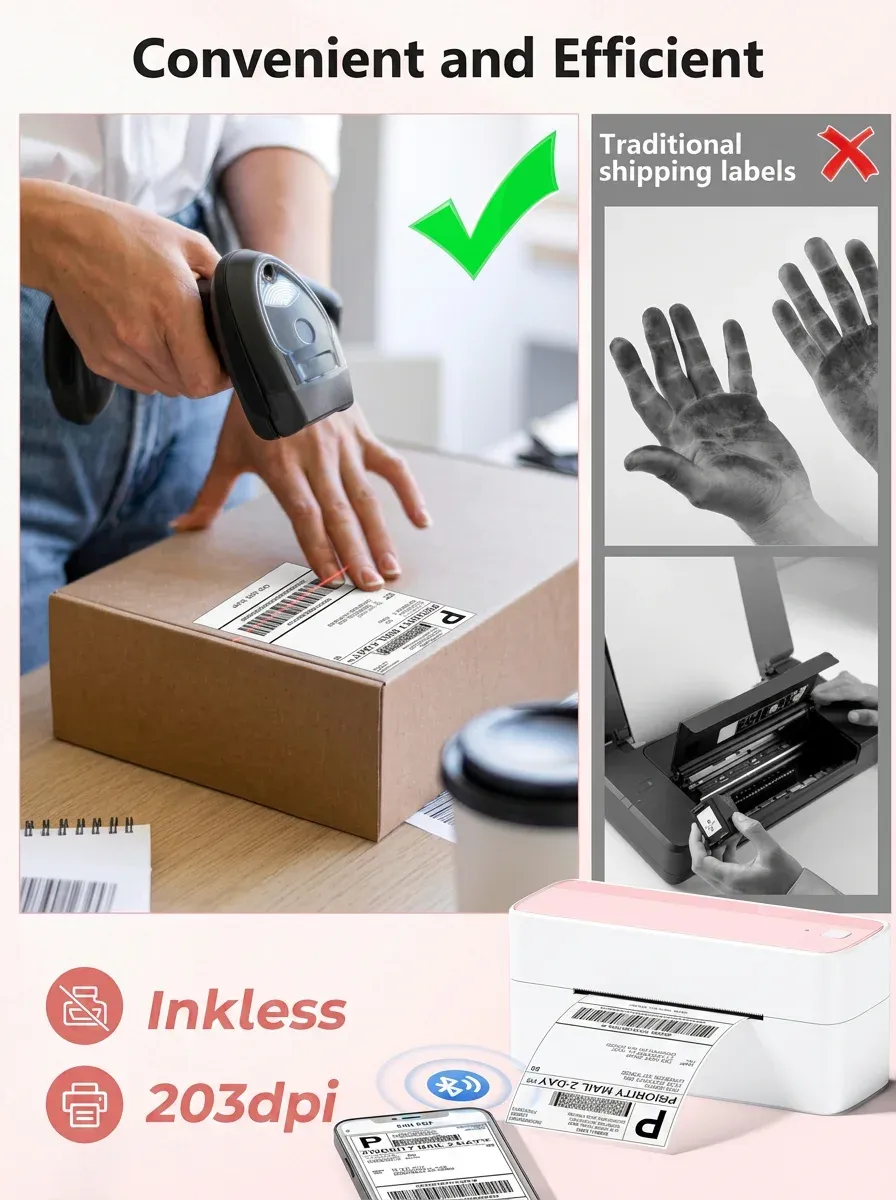
TL;DR: If you use Royal Mail Click & Drop or similar shipping software, a thermal printer for Royal Mail is usually the fastest and most cost-effective way to print parcel labels in the UK. It prints clear, scannable labels without ink or toner, works well for 4x6 shipping labels, and helps small businesses speed up dispatch.
A thermal printer for Royal Mail is the best option for most UK sellers who want quicker, cleaner label printing for Royal Mail parcels and large letters. Instead of printing on A4 paper and cutting labels by hand, you can print a ready-to-stick shipping label in seconds, which saves time and reduces waste.
Running orders through Royal Mail is straightforward until label printing starts slowing everything down. If you are printing a handful of parcels each week, a standard desktop printer may seem good enough. However, once volumes grow, wasted A4 sheets, ink costs, fiddly cutting and smeared labels quickly become a bottleneck.
That is where a thermal printer for Royal Mail comes into its own. For UK sellers using Royal Mail Click & Drop, marketplace shipping tools or courier integrations, a thermal label printer can make dispatch faster, tidier and more reliable. It is one of the simplest upgrades a small business can make to improve fulfilment.
At ThermalLab, the focus is simple: a thermal label printer for faster UK dispatch. A compact Bluetooth shipping printer for Royal Mail, marketplaces and small business fulfilment fits how many British sellers work today, whether from a spare room, studio, office or stockroom.
In this guide, we explain what to look for, how Royal Mail label printing works in practice, and how to choose the right setup for your business.
Key Takeaways
- A thermal printer for Royal Mail prints shipping labels without ink or toner, helping reduce ongoing consumable costs.
- For most UK ecommerce sellers, a 4x6 shipping label format is the most efficient option for parcel dispatch.
- Bluetooth connectivity is useful for flexible home offices, packing benches and multi-device setups.
- Royal Mail users should prioritise compatibility with Click & Drop workflows, marketplace integrations and clear barcode output.
- A compact shipping printer is especially valuable for small businesses that need faster dispatch without adding clutter.
What is a thermal printer for Royal Mail?
A thermal printer for Royal Mail is a label printer designed to print postage and shipping labels for Royal Mail parcels and letters, usually from Click & Drop, ecommerce marketplaces and order management systems.
Unlike a standard inkjet or laser printer, a thermal printer does not use ink cartridges or toner. Instead, it uses heat to create the print on specially coated labels. As a result, it removes two common dispatch frustrations: running out of ink at the wrong moment and dealing with paper trimming.
For UK sellers, this usually means printing address labels and postage labels in a dedicated format that can be applied directly to parcels, large letters or mailing bags. Consequently, the workflow becomes cleaner and faster.
If you want a broader overview of the category, see The Ultimate Guide to Shipping Label Printer in the UK, which covers the main printer types and buying considerations for UK businesses.
Why use a thermal printer for Royal Mail labels?
Is a thermal printer faster for Royal Mail dispatch?
If you are dispatching through Royal Mail every day, speed matters. Printing on A4 paper, cutting labels by hand and sticking them on with tape is manageable for occasional orders, but it creates friction as volumes increase. By contrast, a thermal shipping printer produces a ready-to-apply label in seconds.
That speed adds up across dozens or hundreds of parcels each week. In addition, it reduces the mental load on busy dispatch days, especially for marketplace sellers balancing customer service, stock checks and packing.
Do thermal printers save money on Royal Mail labels?
One of the main practical reasons to choose a thermal printer for Royal Mail is cost control. Thermal printing removes the need for ink and toner cartridges, which can be expensive and inconvenient. Therefore, for small businesses watching margins closely, day-to-day running costs become more predictable.
Are thermal printer labels clear enough for Royal Mail barcodes?
Royal Mail labels need scannable barcodes and clear delivery information. A purpose-built thermal label printer is designed for this type of output. Based on our testing of shipping label workflows, consistent print quality helps reduce the risk of unreadable labels, which can cause delays or manual handling within the delivery network.
Is a thermal printer better for small packing spaces?
A compact thermal label printer takes up less space than many A4 printers, which is important for home businesses and smaller stockrooms. As a result, a tidier workstation can make packing more efficient and reduce errors when several orders are being processed at once.
How do you print Royal Mail labels with a thermal printer?
Most UK businesses using Royal Mail generate labels digitally through platforms such as Click & Drop, ecommerce marketplaces or shipping software. Once the order details are confirmed, the label file is created and sent to the printer.
In practical terms, the process usually looks like this:
- Import or create the order in Royal Mail Click & Drop or another connected platform.
- Select the service and confirm parcel details.
- Generate the shipping label.
- Print directly to a thermal label printer.
- Apply the label to the parcel and prepare it for collection or drop-off.
For many sellers, the real value is not just in printing itself, but in removing unnecessary steps. There is no need to print onto plain paper, cut around the label or line it up with a pouch. Instead, it becomes a simple print-and-stick workflow.
According to UK shipping workflows commonly used with Royal Mail Click & Drop, this setup is especially useful for businesses processing repeat daily orders.
What features should you look for in a thermal printer for Royal Mail?
What label size is best for Royal Mail?
Not every label printer supports the same formats. For Royal Mail parcel dispatch, many sellers prefer 4x6 inch shipping labels because they are widely used, easy to apply and suitable for standard courier-style workflows. Before buying, make sure the printer supports the label dimensions you intend to use regularly.
If your business sends a mix of parcel labels, address labels and smaller product stickers, check whether the printer can handle multiple media widths without making setup awkward.
Do you need Bluetooth for Royal Mail label printing?
Bluetooth can be a genuine advantage for modern dispatch setups. A compact Bluetooth shipping printer gives more flexibility around where you place your workstation and how you print from laptops, tablets or phones. This is especially useful for smaller UK businesses where office space doubles as storage or packing space.
For a deeper look at wireless buying considerations, read Bluetooth Label Printer Explained: A UK Buyer's Guide.
How important is print clarity for Royal Mail barcodes?
Royal Mail labels are operational documents, not decorative prints. The priority is sharp, readable text and barcodes that scan consistently. Based on our testing, sellers should look for a printer built specifically for shipping labels rather than general craft or home organisation labels.
Does printer size matter for home businesses?
In many British small businesses, space is limited. Whether you are dispatching from a kitchen worktop, a converted garage, a market stall prep area or a shared office, a smaller printer is easier to live with. Therefore, a compact footprint is often more important than sellers expect when choosing a daily-use dispatch setup.
Can you use any thermal printer with Royal Mail Click & Drop?
Not always. In theory, many label printers can print shipping labels, but in practice the best choice is one that handles common Royal Mail workflows smoothly. That means reliable label feeding, clear barcode output, and straightforward compatibility with Click & Drop PDFs or label files.
Before buying, check that the printer supports your preferred label format and device setup, whether that is Windows, Mac, mobile or Bluetooth printing. In other words, convenience matters just as much as raw print speed.
Is a 4x6 thermal printer best for Royal Mail?
For most UK ecommerce sellers, yes. A 4x6 thermal printer is often the most practical choice for Royal Mail parcel labels because the format is easy to handle, quick to apply and widely used across shipping platforms.
However, if you mainly send smaller labels or mixed media, you may want to check for broader label width support. Still, for parcel-first businesses, 4x6 remains the simplest and most efficient option.
Which businesses benefit most from a thermal printer for Royal Mail?
A thermal printer for Royal Mail is especially useful for:
- small ecommerce brands shipping daily orders
- Etsy, eBay and Amazon marketplace sellers
- home businesses with limited workspace
- subscription box companies
- growing retailers using Royal Mail Click & Drop
If you only post the occasional parcel, an A4 printer may still be workable. However, once dispatch becomes routine, a dedicated thermal printer usually pays off in saved time and a smoother workflow.
How do you choose the best thermal printer for Royal Mail?
The best thermal printer for Royal Mail depends on how you dispatch, what label sizes you use and where you work. For most UK small businesses, the right choice is a compact shipping label printer with strong barcode clarity, dependable feeding and easy connectivity.
At ThermalLab, we recommend focusing on real dispatch needs rather than unnecessary extras. For example, if you print every day from a packing bench, speed and reliability matter most. On the other hand, if you work from a spare room or shared space, compact size and Bluetooth may be the bigger priority.
Ultimately, a thermal printer helps turn Royal Mail label printing into a quicker, simpler and more scalable process.
Frequently asked questions about thermal printers for Royal Mail
What is the best thermal printer for Royal Mail?
The best thermal printer for Royal Mail is one that prints clear 4x6 shipping labels, works reliably with Click & Drop, and fits your workspace. For most UK small businesses, a compact shipping label printer with Bluetooth or USB connectivity is ideal.
Can I print Royal Mail labels on a thermal printer?
Yes, you can print Royal Mail labels on a thermal printer if the printer supports the label size and workflow you use. Many UK sellers print Royal Mail labels directly from Click & Drop or connected shipping software.
Do I need special labels for a Royal Mail thermal printer?
Yes, thermal printers require compatible thermal labels. Most sellers use self-adhesive thermal shipping labels, with 4x6 inch labels being a common choice for Royal Mail parcel dispatch.
Is a thermal printer worth it for a small UK business?
For businesses sending parcels regularly, yes. It reduces ink costs, saves time, cuts down on waste and makes dispatch more efficient. If you only post occasionally, the benefit may be smaller, but regular Royal Mail users usually notice the difference quickly.
Ready to try ThermalLab?
Shop Now — £71.63